Desertcart purchases this item on your behalf and handles shipping, customs, and support to Czech Republic.
🔗 One receiver to rule your workspace — connect smarter, not harder!
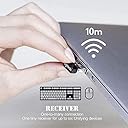
The Logitech Unifying USB Receiver (model 993-000439) is a compact, lightweight USB dongle that allows seamless wireless connection of up to six compatible Logitech mice and keyboards simultaneously. Designed for professionals seeking clutter-free, efficient setups, it supports a wide range of Logitech devices marked with the Unifying logo and works across Windows 10 and Mac OS 10.12 or later.
| Asin | B00SYENY0M |
| Best Sellers Rank | #494 in Computer Mice |
| Brand | Logitech |
| Compatible Devices | Mouse |
| Customer Reviews | 4.2 4.2 out of 5 stars (4,664) 4.2 out of 5 stars |
| Data Link Protocol | USB |
| Global Trade Identification Number | 05099206025165 |
| Hardware Interface | USB |
| Item Weight | 9 g |
| Manufacturer | Logitech |
| Mfr Part Number | FBA_993-000439 |
| Minimum Required Operating System Version | Mac OS 10.12 Sierra, Windows 10 |
| Model Number | FBA_993-000439 |
| Number Of Items | 1 |
| Unit Count | 1 Count |
| Upc | 073257010740 097855087577 |
User
Worked as expected.
Worked as expected for my Logitech M510 mouse and K350 keyboard.
User
Worked for me on my M510!
I've been having the Logitech 510 mouse and nano unifyer for a couple of years, and I LOVE this mouse. It's fairly large and feels good in my hand. It has worked perfectly with the unifyer, even with it plugged into the front usb port on my card reader - until last week. My mouse was suddenly not being recognized on boot, and was intermittently losing contact with the computer during use, sometimes going from being recognized to not being recognized continuously. A Google search shows that quite a few people developed this problem and resolved it by pulling the end off and inserting a small piece of paper on the circuit board, and gluing the end back on. I did this and it did work, but I ordered this new nano unifyer and am now keeping the original as a backup. I already had the Logitech Unifying Software installed and as soon as I ran the program and followed the directions, my mouse was back in action and hasn't had a problem since. I'm a happy camper. : )
User
Easy to use; Much cheaper than buying a new mouse after losing your original receiver!
After losing the receiver for my Logitech M570, my absolute FAVORITE mouse, I was just about ready to buy a new one, when I realized that I could simply buy a new receiver and save some money. The receiver arrived in a small package, but was incredibly easy to install and use. The only thing you must do is download a piece of software called Logitech Unifying Software”. Once you install that and go through the setup, the mouse works perfectly, just like it used to. So to reiterate, the mouse is NOT plug and play. You have to first download the free software in order to begin using your mouse with the new receiver.Overall, if you have a more expensive Logitech mouse, and you’ve managed to lose the receiver like I did, buying a new receiver is a quick and easy way to get back to using your favorite mouse, all while saving money.
User
Not working for me (windows 7 amd MX 5500 keyboard
Update - Contacted the vendor and he said the this device does not work with my Logitech wireless mouse and keyboard. Partly my error, I assumed this device was for all Logitech wireless devices. Be very careful ordering this device. Perhaps request compatabilty first...Original Note:Lots of good reviews and I have never had any issues with Logitech components. Sadly this does not work for meHardware - MX550 keyboard... Logitech wireless mouse (I cant read the model the writing is too small)1) Plugged in the receiver... Windows 7 loaded all the driver correctly. Great I thought this will be a slam dunk2) Loaded the software unify program. Booted up. It found the receiver3) It says turn the device on and off... and it will register. Well my devices did not after many attempts.There is no help. It either works or it doesn't. I tried in several USB ports NADA. The ports are on the front of my computer. I put the mouse real close when trying to register.My issue1) Device Doesn't work (windows 7 and MX5500 keyboard2) The keyboard does NOT have a switch to turn on and off. How do i register this device !!3) The Logitech original software does not recognize this device either.4) When I went to the help site my webroot software said it has fishing issues !!! Red flag.Is this hardware legit... !!!Beware..
User
Excellent product, but instructions are lacking. Still, five stars.
Excellent product! I used it to pair an existing mouse, for which the old unifying USB receiver had fried out. Instructions, however, are lacking. It's not that hard, though. As of now, just install the Logitech Options (and possibly Options+) onto your computer, and go from there.
User
It worked eventually and beats having to buy a new mouse.
It worked ok after lots of troubleshooting and took help of gemini to figure out what was wrong which I learned that this is a common issue. Took about 30 mins to figure it out.
User
Paired with Logitech Revue Keyboard. Quick shipping. Low profile with quick set up
From the order date to delivery date I waited less than a week. Based on a review by another customer I took a chance and ordered this unifying receiver. I purchased a Logitech Revue about a year ago and after Logitech discontinued this product they also cut off users from receiving Netflix software updates and in general, satisfaction with their device. I don't watch much television and therefore rely heavily on Netflix to get my fix. After thinking about recycling my M700 keyboard that came with the Revue I found out I could purchase a Unifying receiver to get my keyboard sync'd to my laptop. Longer story short, laptop is connected through HMDI to my Westinghouse LCD screen and te laptop is set to do nothing when I close the lid so I can stash it without having to deal with it out in the open. All I have is a screen and my keyboard on my desk. Pretty sweet set up. The only problem I have is with my keyboard. There is a loss of functionality when it comes to using it with any other device than the Revue. Not a problem. It won't function as a full keyboard but that is to be expected. It was not made to be used with a pc. All in all, very content with my purchase. Although, I may have to consider purchasing a mouse. The thumb pad on my keyboard is a bit cumbersome and I could benefit from having something a bit more responsive.
User
USB Receiver
good
User
Mixed feelings about it but does the job!
Bought it as I use a single MX Master 3 on two laptops and an iPad (which I use the mouse via BT) and I needed a 2nd transceiver.For me, it worked only when I uninstalled and installed the logi apps and paired it with this one first and then the original one.Does the job and I can switch the mouse easily between devices with just a click, although compared with the original (in terms of quality and feel), this one seems as being made by a third party company and not Logitech, but I might be wrong.
User
Compatible con el mouse M510
Compatible con el mouse inalámbrico M510, tan pronto instale el receptor el mouse se conectó.
User
Works as expected
Works as expected. I only have my keyboard and mouse linked up at the moment. It was easy to install, except that the website was slow. The link provided on the packaging didn't work (not sure if it's because I'm in Canada), but it was easy enough to Google it. I gave it 5 stars because it does exactly what I expect it to do.
User
Dongle USB pour Logitech MX Performance
Il me fallait absolument un récepteur car j'avais perdu le dongle USB reçu avec ma souris Logitech MX Performance.J'étais hésitant avant l'achat en raison du prix qui me paraissait élevé comparé au prix de la souris (acheté en promotion). Mais j'ai été agréablement surpris lors de la réception de mon colis car il y avait non pas un mais sept récepteurs USB!Désormais, il est impossible de se retrouver sans souris si on a le malheur d'en perdre un.Le récepteur fonctionne et est directement reconnu par souris lorsqu'on l'insère dans le PC.
User
Original
Dear Friends, I am happy to say that today i recieved this Unifying USB reciever for my K400 PLUS KEYBOARD with MOUSE. It works perfectly as before. Its pretty simple to start using the Unifying USB reciever. Go to Logitech website, download and install UNIFYING reciever software. Switch off your device (keyboard / mouse). verify by typing in your keyboard and you can see its working fine.Go for it now.. Better buy this USB reciever for this price and save your keyboard from being a piece of brick.I strongly recommend it.
Trustpilot
4 days ago
1 month ago